Unrestricted anime generation on TongAI. Create with Anime (WAI) in your own words.
Anime (WAI) is TongAI’s dedicated prompt-to-image model for polished anime artwork. Direct the character, environment, framing, lighting, wardrobe, mood, and finish without TongAI prompt restrictions, including for adult creative themes, then review the per-image credit price before generating.
Use Anime (WAI) Anime text to image · Multiple aspect ratios · Unrestricted prompts · Per-image pricing
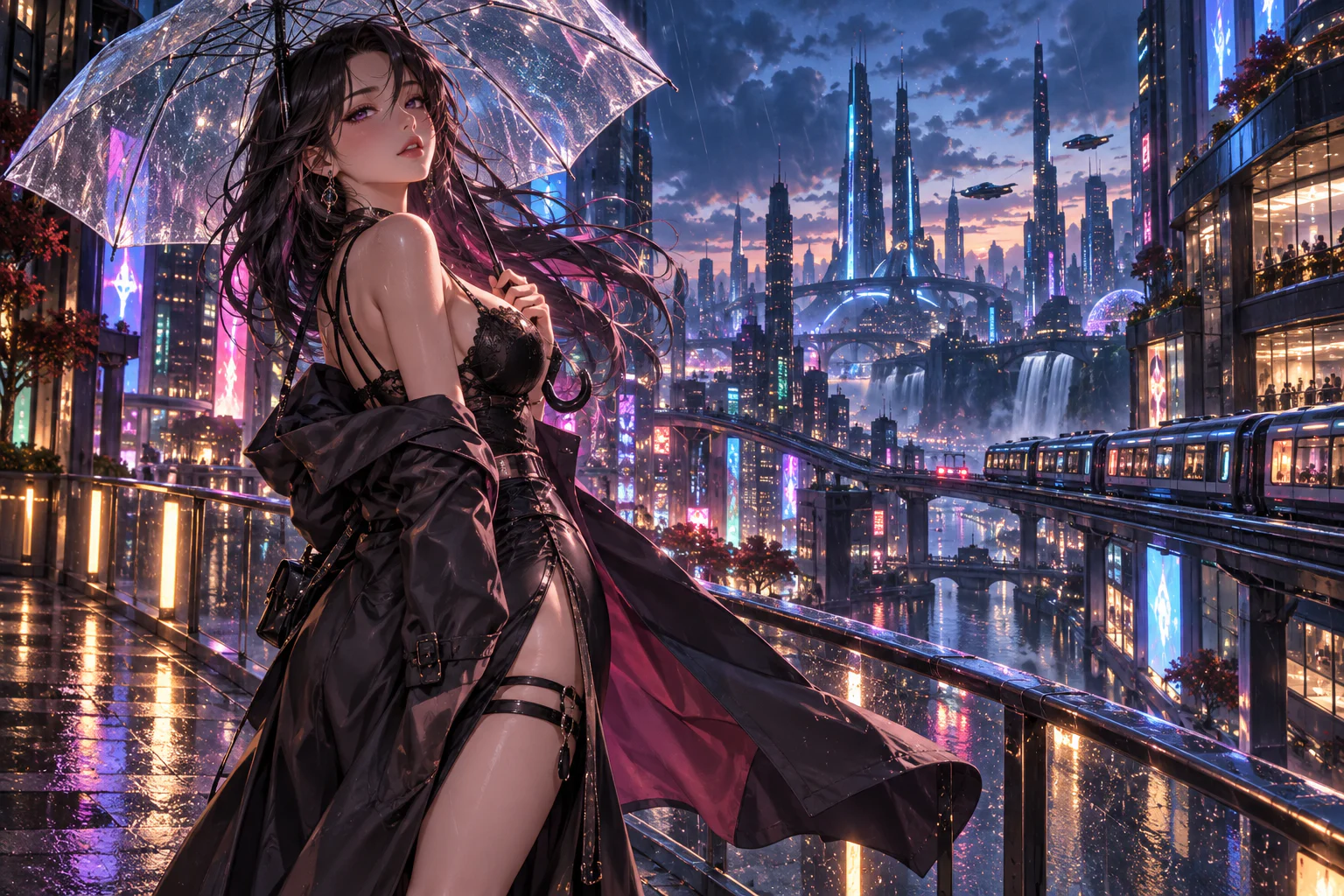
Original illustrative artwork for the Anime (WAI) guide — not a guaranteed model output.
Creative freedom for your prompts and content.
TongAI has no prompt restrictions, including for adult creative themes. Choose the subject, tone, and visual style that fit your idea, and write the direction in your own words.
Use remains subject to our Acceptable Use Policy, consent and rights requirements, and model-provider policies. Generation depends on the selected model’s capabilities and availability.
Model overview
What is Anime (WAI)?
Anime (WAI) is an image-generation model available in TongAI’s Create Image workflow. It begins with a written prompt rather than a source image: describe an original character, action, scene, camera distance, color palette, and anime finish, then choose the aspect ratio that fits the composition.
Choose Anime (WAI) for prompt-driven anime artwork with straightforward usage-based pricing. Select the model by name, see the current price before you create, and keep generating while your account has credits without running into a fixed daily generation cap.
Capabilities at a glance.
T2I
Yes — Anime (WAI) creates a new anime image directly from a written prompt.
I2I / editing
Not on this prompt-only route. Choose an image-edit or compatible LoRA model when a source image must guide the result.
References
The Anime (WAI) Create Image route does not require or accept character-reference images.
Character consistency
Repeat a precise character description for broad continuity. For stronger reusable identity guidance, use saved-character or compatible LoRA workflows.
Aspect ratios
Current options include square, landscape, portrait, standard, and ultrawide shapes such as 1:1, 16:9, 9:16, 4:3, 3:4, and 21:9.
Pricing
Anime (WAI) uses a per-image credit price. The current starting rate appears below and the final amount is shown before submission.
01
Prompt the frame like an anime key visual.
Lead with the adult character and action, then describe the setting, shot size, viewing angle, wardrobe, expression, light, palette, and finish. Separate the essential visual hierarchy from optional details. A clear prompt gives the model room to compose instead of forcing several contradictory scenes into one frame.
02
Repeatable anime characters need repeatable direction.
Keep the same name, age, facial traits, hairstyle, body proportions, signature clothing, accessories, and color palette in every prompt. Reuse a successful description and change one scene variable at a time. Prompt repetition can preserve broad design language, but it does not guarantee the exact same face or outfit in every generated image.
03
Unrestricted anime prompts with no fixed daily cap
TongAI places no prompt restrictions on Anime (WAI), including for adult creative themes. Paid generation can continue while you have credits, and the exact per-image rate appears before you submit each new version.
Current TongAI pricing
See the rate before you generate.
There is no fixed daily generation cap. Each completed generation uses credits at the rate shown for its workflow, model, resolution, and duration.
Current starting prices for Anime (WAI) on TongAI
Workflow
Variant
Resolution
Starting rate
Create image
Anime (WAI)
Model default
10 credits / image
Director image
From prompt · Anime (WAI)
Model default
3 credits / image
These are starting rates from TongAI’s public catalog. Higher resolutions and other settings may cost more; Studio shows the final total before submission.
Where Anime (WAI) fits.
Original adult anime characters and portraits
Cinematic anime environments and key art
Fantasy, science-fiction, romance, and mature creative themes
Portrait, landscape, square, and ultrawide compositions
How to use Anime (WAI) on TongAI.
Start from the input you already have, then choose the compatible model route and review its exact price.
01
Open Create Image
Start a prompt-based image request, open Setup, and choose Anime (WAI) from the available image models.
02
Describe the character and scene
Specify the adult subject, action, environment, expression, wardrobe, camera framing, lighting, palette, and anime finish in plain language.
03
Choose the composition
Select an aspect ratio that supports the intended frame: portrait for character art, landscape for environments, or square for a centered composition.
04
Review the rate and iterate
Confirm the per-image credit amount, generate, and reuse the strongest prompt while changing one element at a time for a new paid version.
Prompt ideas
Example directions to try.
These are starting prompts, not verified example outputs or guarantees of a particular result.
Create Image
Rain-lit city portrait
Original adult anime heroine beneath a clear umbrella on an elevated night walkway, long black coat moving in the wind, cobalt and magenta city reflections, cinematic wide composition.
Create Image
Quiet fantasy landscape
Adult traveling mage resting beside a luminous alpine lake at dawn, detailed cloak and staff, distant ruins in mist, hand-painted anime background, restrained warm palette.
Questions about Anime (WAI).
Is Anime (WAI) an unrestricted anime AI generator?
Yes. TongAI has no prompt restrictions, including for adult creative themes. The Acceptable Use Policy and consent and rights requirements still apply.
Can Anime (WAI) use a reference image?
The current Anime (WAI) route is prompt-to-image. Use a compatible edit, saved-character, or LoRA workflow when visual references are essential.
Is there a daily anime-generation limit?
There is no fixed daily generation cap. Keep generating while you have enough credits, with the displayed amount charged for each completed image.