
Recreate Video.
Your moves.
A new character.
Use AI motion transfer to bring your recorded performance to another character. Upload a video and one character image. The performance provides the direction.
Recreate your video Two inputs. Direction is optional.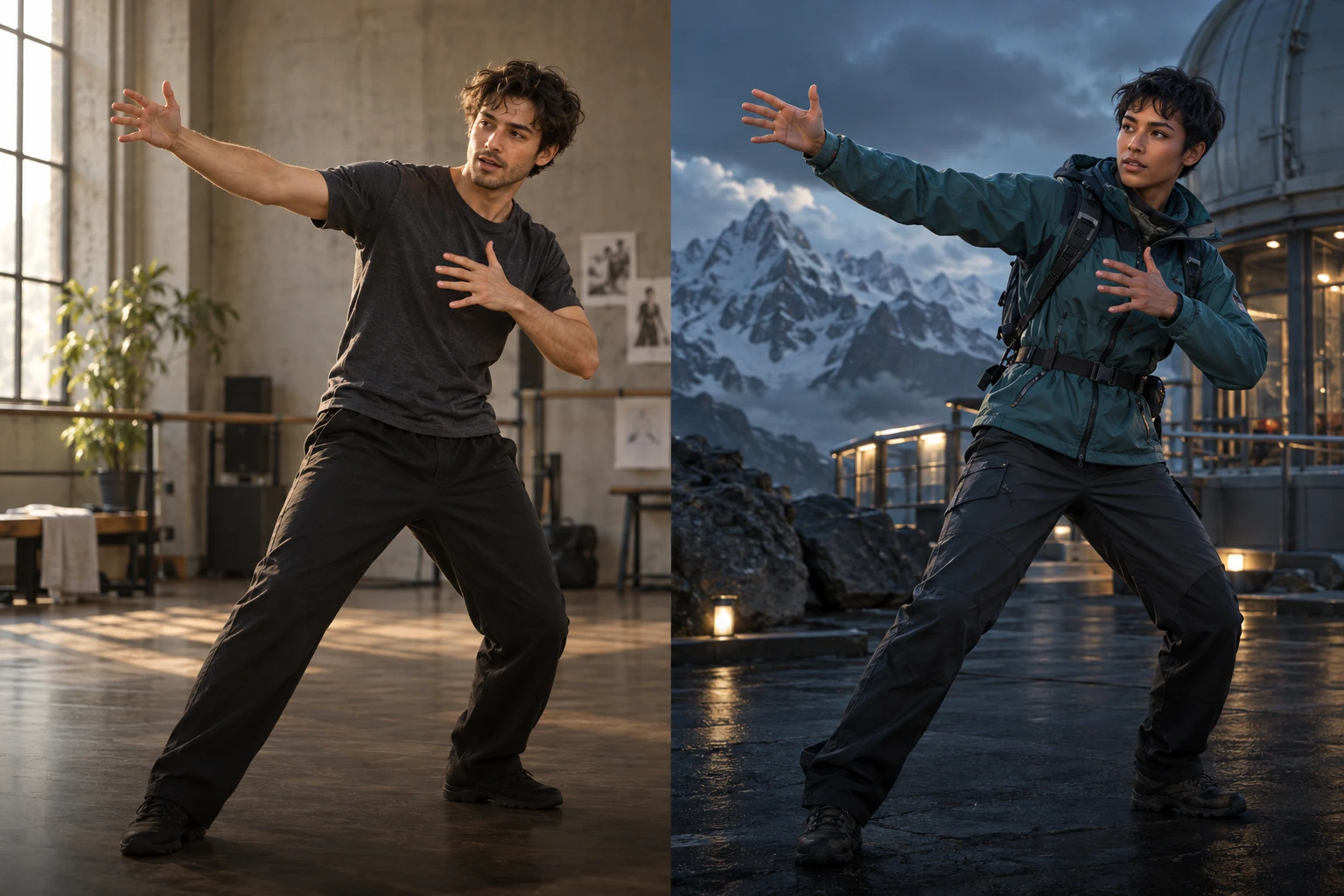
Creative freedom for your prompts and content.
TongAI has no prompt restrictions, including for adult creative themes. Choose the subject, tone, and visual style that fit your idea, and write the direction in your own words.
Your performance is the starting point.
Try a character performance, a movement study, or a short scene driven by your own acting.
Start with your performance
Upload a short recording with one person clearly in view. A gesture, a dance phrase, or a moment of acting gives the model movement to follow. On supported phones, you can record through the upload control. No written motion prompt is needed.
Choose who performs it
Add a character image or choose a saved character in TongAI. Similar framing in the image and video gives the model clearer guidance: a full-body performance works best with a character image that shows the body, while a closer performance benefits from a clear face.
Review, recreate, and keep
Pro is selected by default. Review the credit price, create the video, and find the result in your workspace and Library. Download the finished take or reuse its inputs for another version. You can return to the page while a video is being created.
A clear view makes a better starting point.
Keep the face visible, give the performer room to move, and avoid heavy obstruction. Match the camera distance in your character image to the recording. Review each result for the movement and identity your project needs; an exact reproduction is not guaranteed.
- VideoMP4 or MOV · 3–30 seconds
- CharacterJPG, PNG, WebP, or a saved character
- Each fileUp to 10 MB · At least 300 × 300 pixels
Before your first take.
What does AI motion transfer do?
The performance video guides the movement, while the character image guides the subject’s appearance. Recreate Video creates a new video from those two references. It is more than replacing a face in existing footage: the model recreates the performance and may change visual details, timing, or the scene. Check the finished result before sharing it.
Do I need a prompt or editing experience?
No text prompt is required. Upload the performance and select a character. Add optional direction for the setting, look, or details to keep, then review the price. You can keep the default settings for your first take. The two inputs do the directing, so choose a clear recording and an image that shows the character’s face and the parts of the body involved in the movement.
Can I choose the starting pose and keep the sound?
Yes. “Follow the video” uses the recording for the starting pose and supports clips up to 30 seconds. “Match the image” uses the character image for the starting pose and supports clips up to 10 seconds. “Keep original sound” is on by default; turn it off if you want a silent result. Videos must be at least 3 seconds long.
How much does Recreate Video cost?
Can I use any character image?
How is this different from Video Director?
Give your character the next take.
Start with a performance you already have.